Artificial intelligence, or more accurately, large language models and the slop that comes with them has been a controversial topic among many people in the open source ecosystem. There's been many cases where they have directly affected maintainers negatively with sub-par vibe coded contributions that clog up reviews and such, but of course in addition to that there are the various ethical and legal objections that have been raised by people, as well as the possibility of mental atrophy and recklessness that often follows when the concept of thinking gets out-sourced to a fancy auto-complete.
One of the recent cases that drew controversy was Linus Torvalds slinging AI code into the kernel. This prompted numerous people to look into or even develop alternatives to avoid or limit having to interact with slop code. NetBSD was raised as one of the possible alternatives, since the maintainers have put up a stop sign to AI-generated code in the base system code base.
I am also not a big fan of AI-driven development and I believe that it takes power away from people and puts it in the hands of big corporations that do not have your interests in mind. I also firmly believe that it atrophies your skills and over time induces laziness and creates code-bases that can only be traversed with AI, thereby locking you into the AI ecosystem. This combined with the poor financial outlook of AI companies and their offerings seems like an unsustainable direction to take. And of course ethical considerations merely compound the badness. So, you could say that I am interested in what the alternatives have to offer.
I played around with BSDs last year and briefly looked at NetBSD then, but ended up mostly spending time with GhostBSD. I did end up replacing GhostBSD with NetBSD though and it has been on my secondary laptop for a while, with me playing around with it every so often, although never really relying on it day-to-day. So, I decided to essentially repeat the previous experiment but purely focused on using NetBSD as my daily driver on my secondary laptop.
The experiment setup
The intent of the experiment was to see if I could pull off my ordinary daily tasks that I do at my home computer with the same exemptions as last time: work stuff would stay on my work laptop and I would do my livestreaming on my Linux desktop. This was because from the get-go I knew I would not be able to play the games I have been playing on my NetBSD laptop even under the best circumstances and because I have already looked at the multimedia ecosystem on NetBSD and deemed it somewhat difficult to work with.
The hardware platform of choice is my Lenovo Thinkpad T470s with an Intel i7-7600U and 16 GB of RAM. I just recently also performed a battery replacement for this laptop to keep it going, since one of the two battery packs seemed to have died at some point.
As for the software, I used the latest stable NetBSD release, which at the time of writing is 11.0. I stuck to the default CTWM X11 session, although I did briefly try out using xmonad as well to see how I liked that.
Getting started
Since I already had a NetBSD install and had already updated it to NetBSD 11.0, all I really needed to get started was moving some files over that I was going to need, get my browser properly set up with my extensions and profiles, set up my email client and in general find a way to get at least the following things working:
- Browsing the web, especially to watch YouTube
- Set up chatting with friends on Discord, Fluxer, Signal and so on
- Find some games to play in case I got bored
- Make sure I can also work on some of my personal projects
Browser setup was pretty painless, since I already use Firefox and that can be installed from pkgsrc without a hassle. The only minor annoyance, which might be a deal-breaker for some, is that Widevine of course doesn't work and therefore DRM-protected video will also not work. I can live a week without Netflix just fine, so to me this isn't a big issue, but it would be nice if that got solved some day. Apparently OpenBSD has worked out some solution for their packages, so maybe the same approach can be worked into pkgsrc too.
For email I decided to just use Emacs and Gnus, since I set that up some time ago. It isn't the primary way I read email, but it does work well enough, so I decided to work with it.
Chat apps do present some interesting questions. Discord and Fluxer work just fine via
browser, so that's easy enough. IRC and Matrix I use from Emacs as well. But Signal is a
bit of a weird one. There is of course no official client, but I did find one called gurk,
which is an ncurses interface for talking with Signal. It does work, although it's not
necessarily an application I particularly like. So, for the most part I ended up just
using Signal from my phone.
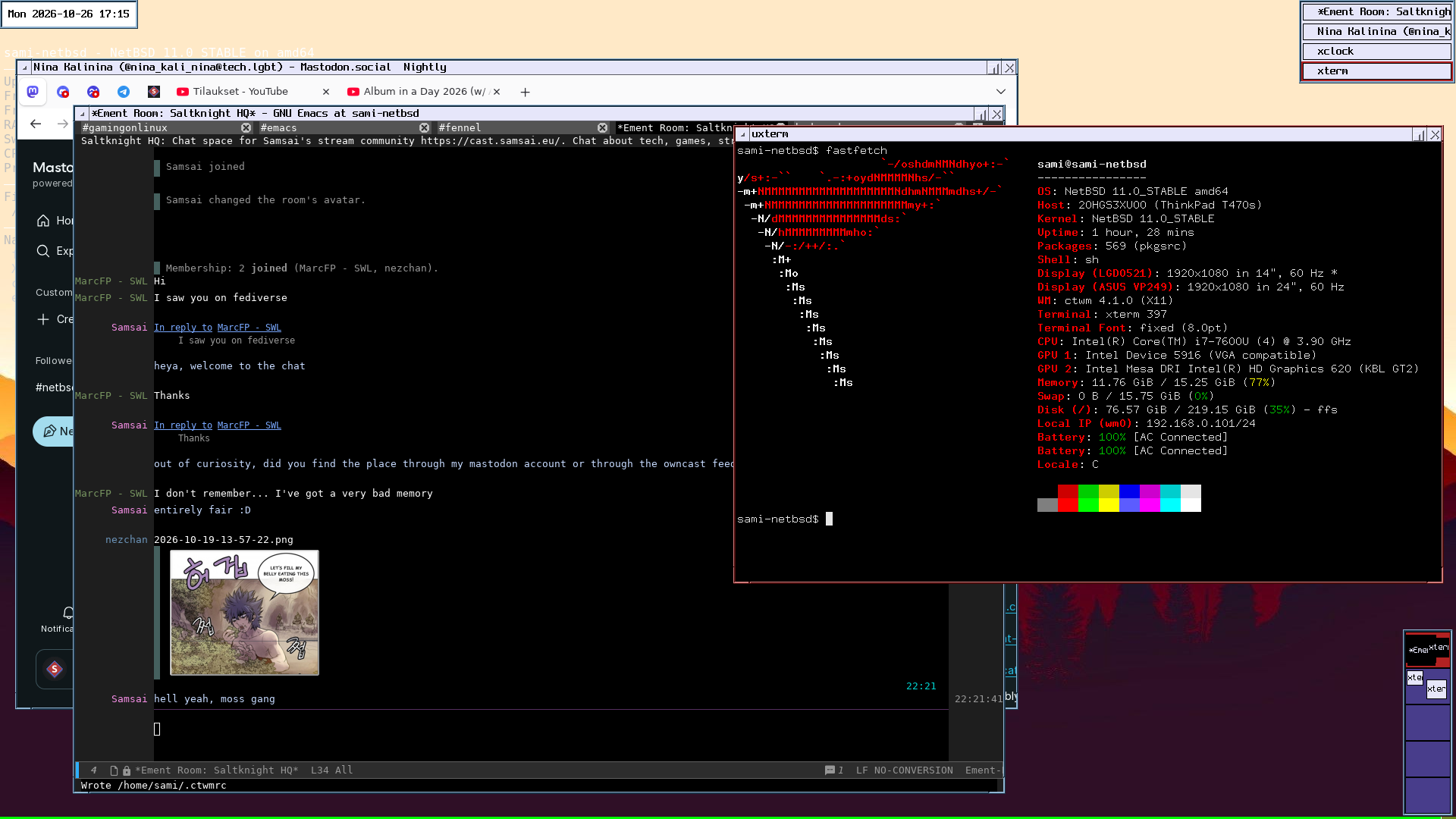
So, for the most part these let me get started pretty okay and all were ready to go day 1.
Inconveniences
Now, NetBSD isn't exactly a plug-and-play kind of experience. And there's an important reason why I mentioned the hardware, because that's where things can get difficult.
NetBSD's motto of "Of course it runs NetBSD!" isn't a lie, since the support for different kinds of hardware platforms is pretty extensive, but it doesn't really tell the full story when it comes to drivers. You can probably get a NetBSD install up and running in some capacity on most things you can find, but accelerated graphics, Wi-Fi and peripheral devices may be more hit-or-miss.
My laptop is sort of in a decent spot, because it's sufficiently old to have working
graphics acceleration and so on. Even the Wi-Fi is recognized by the iwm driver, but I
can't really call it entirely functional. Definitely the biggest annoyance I ran into
right from the get-go is that while Wi-Fi does work for a while, eventually packets seem
to no longer move correctly. From what I could tell, the Wi-Fi was still connected even
according to the admin console on the router, but traffic would simply stop working. Even
pinging the router by its IP address didn't seem to work anymore. I could get the
connection working for a brief time by using ifconfig to turn the Wi-Fi connection off
and on again, but once it errored out once it would soon fail again. On some days it
seemed to work for a decently long time, but other days I could only use it for a couple
minutes at a time. Definitely not ideal.
I also tested out using an USB-N10 dongle, since supposedly those work better with the
urtwn driver, but I seemed to be having similar problems there: it would connect fine,
but eventually the connection would flake out and need to be reconnected, only to fail
after a little while. Since this seemed to happen with two entirely different drivers, I
wonder if there is an issue in some other shared component. I might still try what happens
if I connect up to my phone's mobile hotspot and see if there is any difference there.
Graphics cards can also be an issue with NetBSD. The graphics stack is based on the one in Linux kernel 5.6, which is from 2020. This means that devices from that year or later have a worse chance of working. So if you have a newer AMD GPU or especially if you have an Nvidia, you might at best get non-accelerated graphics.
In my case for this laptop everything works well enough, although there were a few cases
where the X11 session seemed to freak out. When I tried playing back some video with mpv,
the graphics seemed to get messed up after some time, requiring the X11 session to be killed
and restarted. This seems to have something to do with the vo=gpu-next option, and once
I set it to vo=gpu things seemed to be more stable.
Some apps also gave me trouble just in general, such as Krita. I am pretty sure I had it installed and working at some point, but now it seems to just lock up while showing the loading banner. I doubt I would have used it much, especially since my Wacom Intuos S tablet also doesn't seem to work, but it is unfortunate either way. Luckily GIMP does work fine.
There were also some minor issues and annoyances. For example, I couldn't seem to be able
to get xmodmap to be able to configure my Caps Lock as Control when loading the
.Xmodmap from .xinitrc. When I run the xmodmap command after the session is up, it
does work though. CTWM also seems somewhat hesitant about allowing windows to be dragged
to a second monitor if the session has started with a single monitor and later been switched
to multi-monitor. A CTWM restart does fix that issue though.
Compatibility layer troubles
Although all the stuff I really need I can get natively from pkgsrc, I was curious to try
the emulation and compatibility options to see if I could also run some alien software
either from Linux or from Windows. NetBSD provides compat_linux for the former and pkgsrc
has a package for Wine for the latter. However, I couldn't really get much done with either
of these.
compat_linux is basically the same thing as the Linuxulator in FreeBSD: it reinterprets
system calls and redirects dynamic linking towards a set of Linux shared objects, which are
installed into /emul/linux. You basically have a whole Linux system in there that you can
run apps against.
I was able to get this configured and working to some extent, but I ran into a hard wall
pretty fast when it comes to anything that talks audio. It might be possible to coerce
some SDL-based things to talk with the /dev/audio setup that NetBSD uses, but a fair
amount of modern Linux software really likes to talk to Pulseaudio instead. In theory you
can just run Pulseaudio on NetBSD, there are packages for it and everything, but no matter
what I tried, I could not get a Pulseaudio server up and running and talking with
/dev/audio. The closest I got was when I force-loaded the OSS module and then got a
complete system crash afterwards. When I let it perform module loading by probing the
system, it seemed to want to use a non-existent audio device and would simply exit out.
Because of this, I didn't really want to spend time trying to hunt down any software that I could coax into working without Pulseaudio, so I just gave up instead.
And I wish I could say that Wine was a better experience, but unfortunately no. Similar to Wine on OpenBSD, it is limited by the bitness of your OS, meaning that on 64-bit NetBSD you only get access to Wine64. This by itself limits the executables you can run quite a bit, since all PE32 installers and such just refuse to go anywhere in the first place. Not that 64-bit executables seemed to be working much better though, the closest I was able to get was a bunch of complaints of missing DLLs, which I did find in the Wine directory, but which for whatever reason wouldn't be loaded. It could be that I did something wrong here, or maybe the 64-bit Wine package is simply broken somehow.
Apparently some people have managed to make these things work in the past, even with some hacks that allow running 32-bit wine in a chroot on 64-bit NetBSD, but for me this was a dud.
It's not all bad though
As you can see, NetBSD can be tricky at times, but I still enjoyed using it. Honestly, out of everything I have complained about, I think the Wi-Fi thing is really the only one that genuinely puts a damper on things. Most of the other things I can work around quite easily and the tinkering I have been doing with the system has been really fun.
And although I didn't get Linux or Windows games working via compatibility layers, I still was able to put some hours towards some light gaming with the stuff that is in pkgsrc. It is basically all open source game classics, but you can't really go wrong with stuff like Luanti, Quakespasm, Dungeon Crawl: Stone Soup and so on. I even tested out building some other things from source and I was quite happy to get Shockolate working.
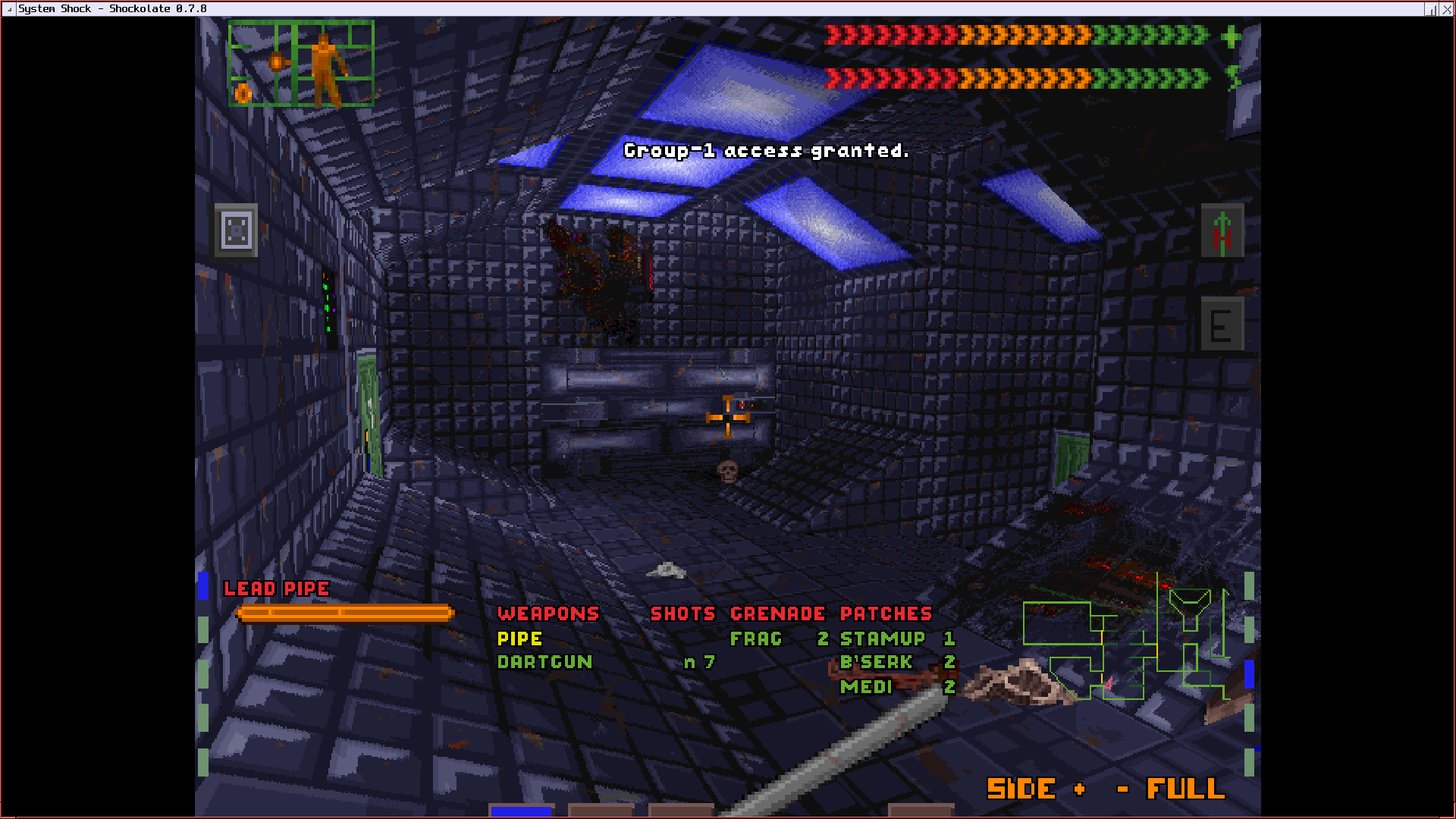
I think one thing I would end up missing pretty quickly is UZDoom. There is a package in pkgsrc-wip, which I tried to build, but it seems still quite WIP in the sense that while it builds, it does not manage to start without running into an assertion error in the version numbering code. I do hope that it will eventually get a working port though.
Overall, I quite liked the feeling of running NetBSD. The community from what I have seen seems quite friendly and NetBSD has a strong identity and seems to want to go their own way on some areas rather than just conforming to whatever Linux is doing, which I think is at least interesting. I didn't really have time to play with some of the more interesting NetBSD-based tech such as smolbsd that much, but I am still interested in looking at it one of these days. And I do think that NetBSD has earned a permanent place on this laptop at least.